Kids Toddler & Preschool Games
RV AppStudiosEducational
4.689.00 Reviews
- Version
- Varies With Device
- Installs
- 10.00M
- Age Rating
- Everyone
Screenshots
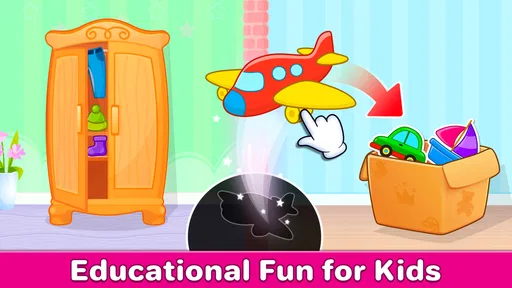
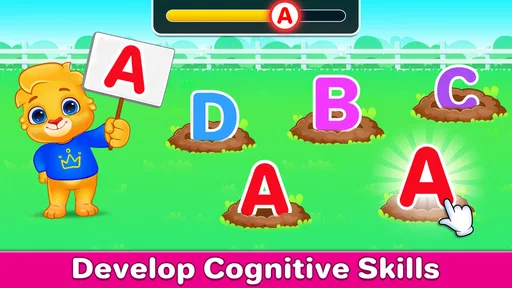
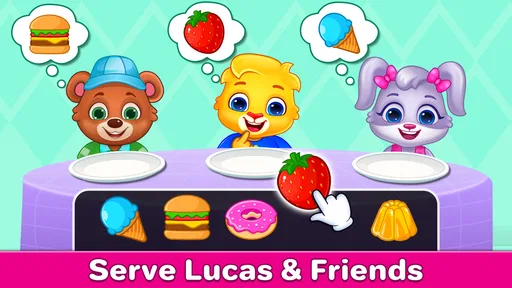
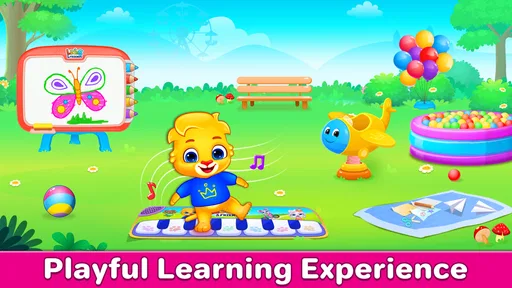
Our Review of Kids Toddler & Preschool Games
 Analysis by Appyee
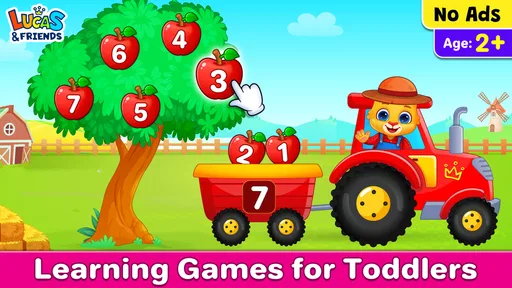
When I first opened Kids Toddler & Preschool Games, I was looking for something a young child could understand without a long explanation from an adult. That is where this educational game makes a good first impression. It is designed for boys and girls from three to five, and its activities are simple enough to invite immediate tapping, dragging, matching, and recognition rather than demanding reading skills. I found it much closer to a small collection of preschool exercises than to a conventional game with a single long adventure.
The app comes from RV AppStudios and is free to use. It is rated for Everyone, works on Android devices running version 6.0 or later, and has reached over ten million installs with a 4.7 average from around eight and a half thousand ratings. Those figures suggest that it has become a familiar choice for families searching for early-learning activities, but popularity is not the same as lasting usefulness. My main question was whether a child would still want to return after the first burst of curiosity disappeared.
What the first week feels like
The first few sessions are the strongest part of the experience. A preschooler can usually begin by exploring the screen and learning through immediate feedback instead of reading instructions. That matters because children in this age group often lose interest while an adult is still explaining the rules. The short activity format also makes it practical for a quick session before dinner, during a quiet morning, or while waiting somewhere without turning the phone into a complicated teaching tool.
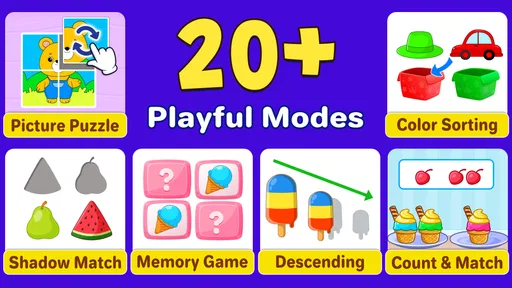
I like the breadth implied by the collection: there are more than fifteen educational games rather than one repeated exercise. That gives the child different ways to engage with basic preschool ideas and helps parents move away from an activity that has already become familiar. In the first week, this variety creates a useful sense of discovery. A child may be interested in one task because of its visual interaction and another because it feels more like a puzzle, even when both are quietly reinforcing early skills.
The best way to introduce it is not to hand over the device and disappear. I would sit beside a child for the first few sessions, watch which activities they choose, and ask them to explain what they are doing. That turns tapping into a small conversation about colors, shapes, objects, counting, or recognition. It also reveals whether the child understands the activity or is only repeating random touches until something happens.
For a three-year-old, the value is often in coordination and confidence rather than in completing an exercise perfectly. A five-year-old may be ready for more deliberate choices and may want to move quickly through activities they already understand. This age range is wide, so the same game collection will not feel equally challenging to every child. I would expect a younger child to need more guidance, while an older preschooler may find some tasks comfortable after only a few attempts.
One practical strength is that the app can fill a very specific gap between passive video and formal learning material. A video may hold attention but offers little opportunity to make a choice. A workbook can support practice but may require an adult to prepare it and supervise every page. Here, the child can interact directly, while a parent can decide whether the session is being used for free play, a short learning break, or a warm-up before an offline activity.
That does not make screen time automatically productive. I would not use this as a substitute for talking, drawing, building, outdoor play, or handling real objects. Preschool learning is richer when a child can touch and compare things away from the screen. The app works best as one small part of a routine, not as the entire routine.
How I would use it with a young child
A realistic everyday scenario would be a parent preparing breakfast while a child has already finished eating and needs a few quiet minutes. I would choose one or two activities, set a clear stopping point, and then follow the session with a related offline question: “Can you find something in the kitchen with the same color?” or “Can you count these spoons?” That simple bridge is more valuable than letting the child move endlessly from one screen to another.
Another useful approach is to let the child choose the first activity and let the adult choose the second. The child gets a feeling of control, while the parent can gently introduce a less popular type of task. I would also avoid correcting every mistake immediately. If the app gives feedback, I would give the child a moment to try again before stepping in. The goal is to encourage observation and persistence, not to turn a short game into a test.
Parents who want a completely independent learning tool may be disappointed by this approach, because the strongest results come from occasional involvement. The app may keep a child occupied, but it cannot tell you whether the child is transferring a skill into daily life. That is where a few minutes of conversation make the difference.
Does it keep its value after the novelty fades?
After the first week, the central issue becomes repetition. A collection with many activities has a better chance of surviving the novelty phase than a single mini-game, but variety alone does not guarantee a long-term habit. Once a child knows the basic pattern of an activity, the challenge may become less meaningful. I would expect the app to remain useful for periodic practice and short distractions, while its appeal as a daily destination depends heavily on the child’s personality.
Some children enjoy repeating familiar tasks because success feels reassuring. Others need constant novelty and will move on as soon as they have seen every activity. This is why I would not promise a fixed daily schedule. Instead, I would keep it available for moments when a child is receptive, perhaps returning to it a few times a week and pairing it with a real-world activity. That makes the app part of a learning rhythm rather than a compulsory assignment.
The month-to-month value is strongest for families with children who are still developing basic recognition, matching, and coordination. A younger preschooler may revisit the same activities with more independence over time, which is a genuine form of progress even if the content itself has not changed. An older child may gain more from using the app as a quick review than from spending long sessions inside it.
I would also treat the broad age range as a reason to reassess regularly. A child who found the activities exciting at three may need more complex challenges later. If the child can finish everything quickly, rarely makes choices, or starts asking for something more demanding, that is a sign to add books, puzzles, counting games with physical objects, or a more advanced educational app. Keeping this game installed should not mean keeping it at the center of learning indefinitely.
One non-obvious benefit is that the app can help a parent identify a child’s preferences. Watch whether the child is drawn to visual sorting, memory-like recognition, movement across the screen, or tasks with an obvious result. That observation can guide purchases and activities outside the app. If a child repeatedly chooses matching exercises, for example, a parent might offer simple household sorting games. The application becomes useful not only for practice, but also as a low-pressure way to notice how a child approaches problems.
There is also a useful distinction between independent repetition and meaningful mastery. A child may remember where to tap without understanding the underlying idea. I would occasionally ask the child to solve a similar problem with toys, blocks, food, or pictures. If the skill appears away from the screen, the app has supported learning. If it stays limited to one familiar sequence, the entertainment value may be higher than the educational value.
The maintenance effort parents should expect
The maintenance burden is fairly light in terms of setup. This is not a game that requires a parent to prepare levels, print worksheets, or explain a long fictional world before a child can begin. That simplicity is important for busy families. A parent can open it during a short window and find an activity that is ready for immediate use.
The real maintenance is supervisory. I would check the device before giving it to a child, make sure the session has a clear end, and stay aware of whether the child is learning or simply seeking the next tap. For a preschooler, “educational” should never be treated as permission for unlimited screen time. The app reduces preparation, but it does not remove the need for boundaries.
It is also worth maintaining the surrounding routine. If the child uses the game only when an adult is busy, they may begin to associate it with waiting or being separated from attention. A better pattern is to include occasional shared sessions, even if they are brief. Ask the child to name what they see, predict what might happen, or demonstrate the idea with something nearby. That keeps the app connected to interaction instead of making it a digital babysitter by default.
Because it is free, the app is easy to try without making it a financial commitment. That is helpful when a child’s interests change quickly. At the same time, free access can encourage families to keep several similar apps installed and switch between them whenever one becomes familiar. I would resist collecting too many preschool apps. A small group of tools used intentionally is easier to supervise than a crowded device full of distractions.
For families comparing it with the usual alternatives, the trade-off is straightforward. Physical books and puzzles are slower to set up but support conversation, hand control, and screen-free concentration. Video content is often easier for a tired child to consume but offers less direct decision-making. A dedicated early-learning app with a narrower academic focus may provide more structured progression, while this collection is more convenient when you want several simple activities in one place. I would choose this game for variety and accessibility, not for a detailed curriculum.
Where fatigue begins
The first source of fatigue is predictability. Once a child understands an activity’s visual language, the interaction can become automatic. The collection helps delay that feeling, but it cannot eliminate it. I would watch for signs such as rushing without looking, repeating the same favorite activity every time, or abandoning tasks that require a little thought. Those behaviors suggest that the session has stopped being useful, even if the child is still willing to tap the screen.
The second issue is the natural limit of a fixed set of preschool activities. A child who wants stories, construction, imaginative play, or more advanced problem-solving will eventually outgrow the format. That is not a flaw for its intended audience, but it does mean parents should avoid judging it as a complete learning environment. Its role is narrower: short, approachable practice for early learners.
A third concern is adult interpretation. Bright, responsive activities can feel educational even when a child is mainly reacting to visual rewards. I recommend listening to the child’s language during play. Are they naming objects, comparing choices, and explaining decisions, or are they only asking to move faster? The answer tells you whether to continue, join in, or switch to an offline activity.
There can also be fatigue for parents who are hoping for detailed progress tracking or a clear long-term pathway. This product is easier to approach as a collection of activities than as a complete preschool program. If you need formal lesson planning, measurable milestones, or a carefully staged curriculum, another type of educational resource may suit you better. I would pair this app with books, teacher guidance, or structured materials rather than expecting it to provide all of them.
Children who dislike touch-screen controls, become frustrated by small movements, or need more physical activity may not enjoy it for long. Likewise, a child who already handles preschool concepts confidently may find the tasks too easy. In those cases, a physical game, a creative building activity, or a more advanced learning title would probably earn more lasting attention.
My long-term verdict
After looking beyond the first exciting sessions, I see Kids Toddler & Preschool Games as a useful supporting tool rather than a permanent centerpiece. Its main strength is the combination of approachable interactions and a broad set of early-learning activities. It is free, aimed at Everyone, and accessible on older Android devices, which makes experimentation easy for families who want a gentle introduction to educational games.
The lasting value comes from how deliberately it is used. A child can return to familiar activities to build confidence, while a parent can use the sessions to discover interests and reinforce ideas away from the screen. The most effective routine is short and varied: let the child choose sometimes, guide them toward a different activity occasionally, and connect what happens on the device to objects and conversations in the real world.
I would recommend it to parents of preschoolers who want a low-pressure collection for brief learning breaks, especially when a child benefits from visual interaction and immediate feedback. I would skip it as a primary choice if you need a full curriculum, detailed advancement, or a replacement for hands-on play. Older preschoolers may also need something more challenging once the activities become familiar.
My honest conclusion is that the app earns a place on a family device, but not an automatic place in every daily routine. Its novelty may fade, and some children will exhaust their favorite activities quickly. Even so, the combination of variety, simple access, and opportunities for parent-child follow-up gives it recurring value when used with purpose. I would keep it available, bring it out when it fits the moment, and judge its success by what the child does after closing the screen.
Privacy and Permissions
See what permissions an app requests and how it handles your data.
- Other
- view network connections, full network access, run at startup, control vibration, prevent device from sleeping, Google Play license check
Verdict
Strengths of Kids Toddler & Preschool Games
- Simple controls help toddlers play independently.
- Bright visuals and cheerful sounds keep young children engaged.
- Short activities suit limited attention spans.
- Educational mini-games support early learning skills.
- Works well for quiet play at home or while traveling.
Limitations of Kids Toddler & Preschool Games
- Some activities may feel repetitive after extended play.
- Certain features may require in-app purchases.
- Sound effects can be loud without careful volume control.
- Limited challenge may not suit older preschoolers.
- Ads or prompts may interrupt play in the free version.
Other Releases by RV AppStudios
View All
Coloring Games: Color & Paint
Educational4.4

Drawing Games: Draw & Color
Educational4.3

Baby Games: Piano & Baby Phone
Educational4.4

Puzzle Kids: Jigsaw Puzzles
Educational4.4
Similar Picks in This Category
View All
Little Panda Policeman
BabyBus4.0

Monster Trucks Game for Kids 2
Raz Games4.1

Little Panda's Chinese Recipes
BabyBus4.4

Little Panda's Restaurant
BabyBus4.4

Little Panda's Ice Cream Games
BabyBus4.3

Baby Panda Care
BabyBus3.8
Frequently Asked Questions
What is Kids Toddler & Preschool Games?
Kids Toddler & Preschool Games is an educational collection designed for young children, generally toddlers and preschoolers. It offers simple activities that may introduce basic concepts such as colors, shapes, numbers, letters, matching, memory, and problem-solving. The games are usually built with bright visuals, large buttons, and straightforward interactions so children can play with limited assistance from an adult.
Is Kids Toddler & Preschool Games suitable for my child’s age?
The app is mainly intended for toddlers and preschool-age children, but the ideal experience depends on the child’s development and familiarity with touchscreens. Younger children may need help understanding instructions, while older preschoolers may complete the easier activities quickly. Parents should review the listed age recommendation and try several games to determine whether the difficulty, pace, and educational content are appropriate.
Does the app require an internet connection to play?
Many children’s game collections allow at least some activities to be played offline after installation, which can be useful during travel or when limiting internet access. However, advertisements, updates, additional content, or certain features may require a connection, depending on the version installed. It is best to open the app while online first and check which games remain available after enabling airplane mode.
Are there advertisements, in-app purchases, or privacy concerns?
Parents should check the app’s current store listing and privacy information before downloading, because monetization and permissions can change between updates or platforms. Some versions may include advertisements, paid upgrades, subscriptions, or optional purchases. Since the intended audience is young children, adults should configure parental controls, review permissions, and supervise use to prevent accidental purchases or exposure to unsuitable third-party content.
Does Kids Toddler & Preschool Games provide real educational value?
The app can support early learning by giving children repeated practice with recognition, coordination, memory, counting, and simple logic. Nevertheless, it should be treated as a supplementary activity rather than a replacement for preschool instruction, reading, creative play, or interaction with parents and teachers. The best results usually come from playing together, asking questions about each activity, and keeping screen sessions short and age-appropriate.
Play our best games!


